
Apple is giving creators even more reasons to explore its creative software ecosystem, announcing a major update to Apple Creator Studio that introduces powerful new AI features, expanded video editing tools, smarter music production capabilities and enhanced productivity features.
Announced on 28 October 2026, the update brings new tools to popular apps including Final Cut Pro, Logic Pro, Pixelmator Pro, Keynote, Pages and Numbers. The aim is to make creative projects easier to produce, whether you're editing videos for YouTube, making music at home, designing presentations or working on everyday documents.
For the average consumer, these improvements could mean less time spent on repetitive tasks and more time focusing on the creative side of a project. From generating image edits using text prompts to getting AI assistance with presentations and music production, Apple is expanding how artificial intelligence can help people create.
The updated Apple Creator Studio experience is scheduled to arrive on the App Store in November 2026 as a free update for existing subscribers.
What Is Apple Creator Studio?
Apple Creator Studio is a collection of creative applications designed to help people produce professional-quality content across Mac, iPad and iPhone.
The subscription bundles access to tools for video editing, music production, image editing, animation and productivity. Depending on the app, users can edit videos, create soundtracks, enhance images, produce presentations and organise information.
The latest update builds on that foundation by integrating more creative assets, adding AI-powered assistance and improving how the apps work together.
For everyday users, the biggest advantage is convenience. Instead of switching between multiple applications or spending hours learning complicated editing techniques, subscribers gain access to a growing collection of tools designed to simplify common creative tasks.
Final Cut Pro Gets Built-In MotionVFX Tools and More Video Editing Features
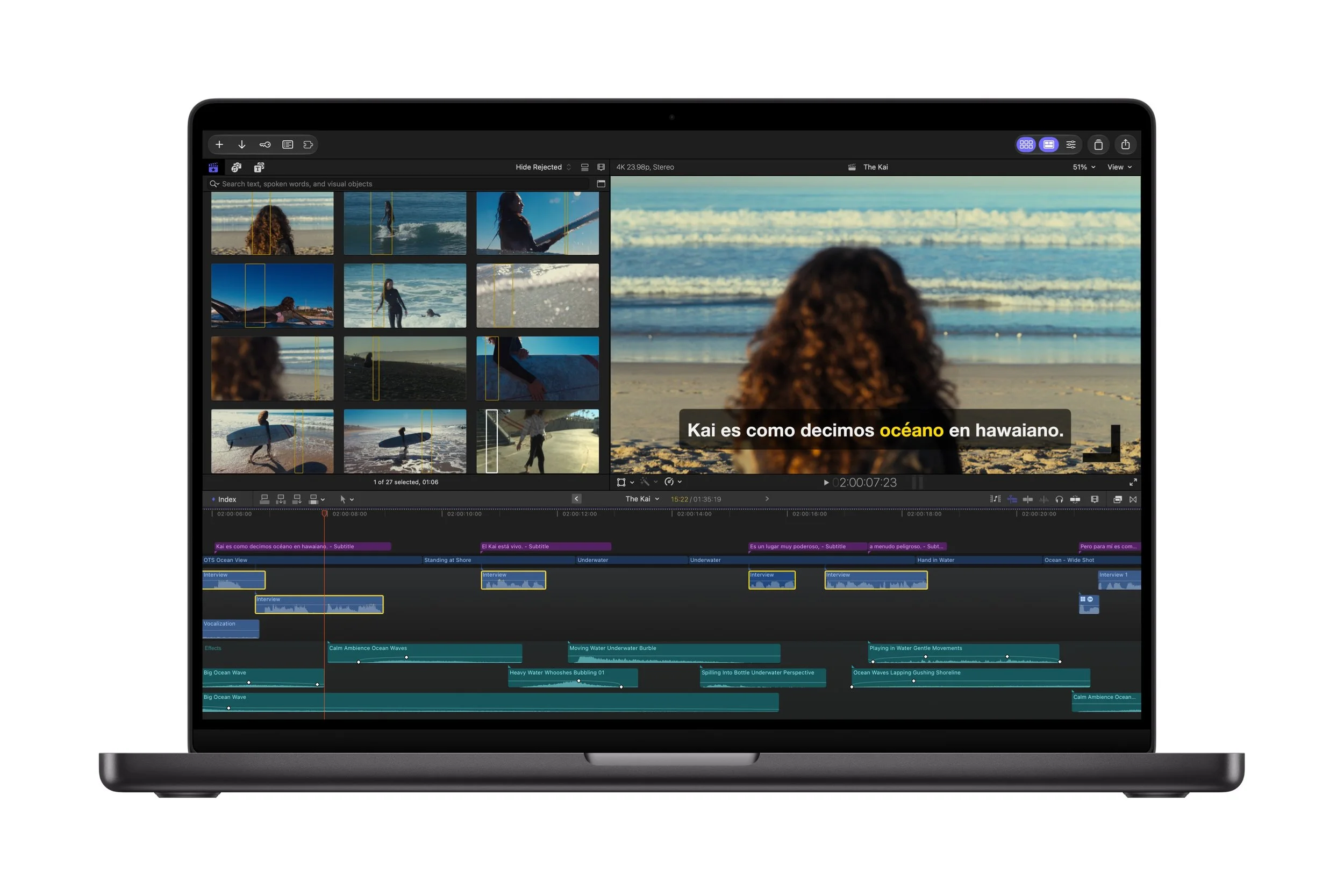
One of the biggest changes in the Apple Creator Studio update is coming to Final Cut Pro for Mac, Apple's professional video editing application.
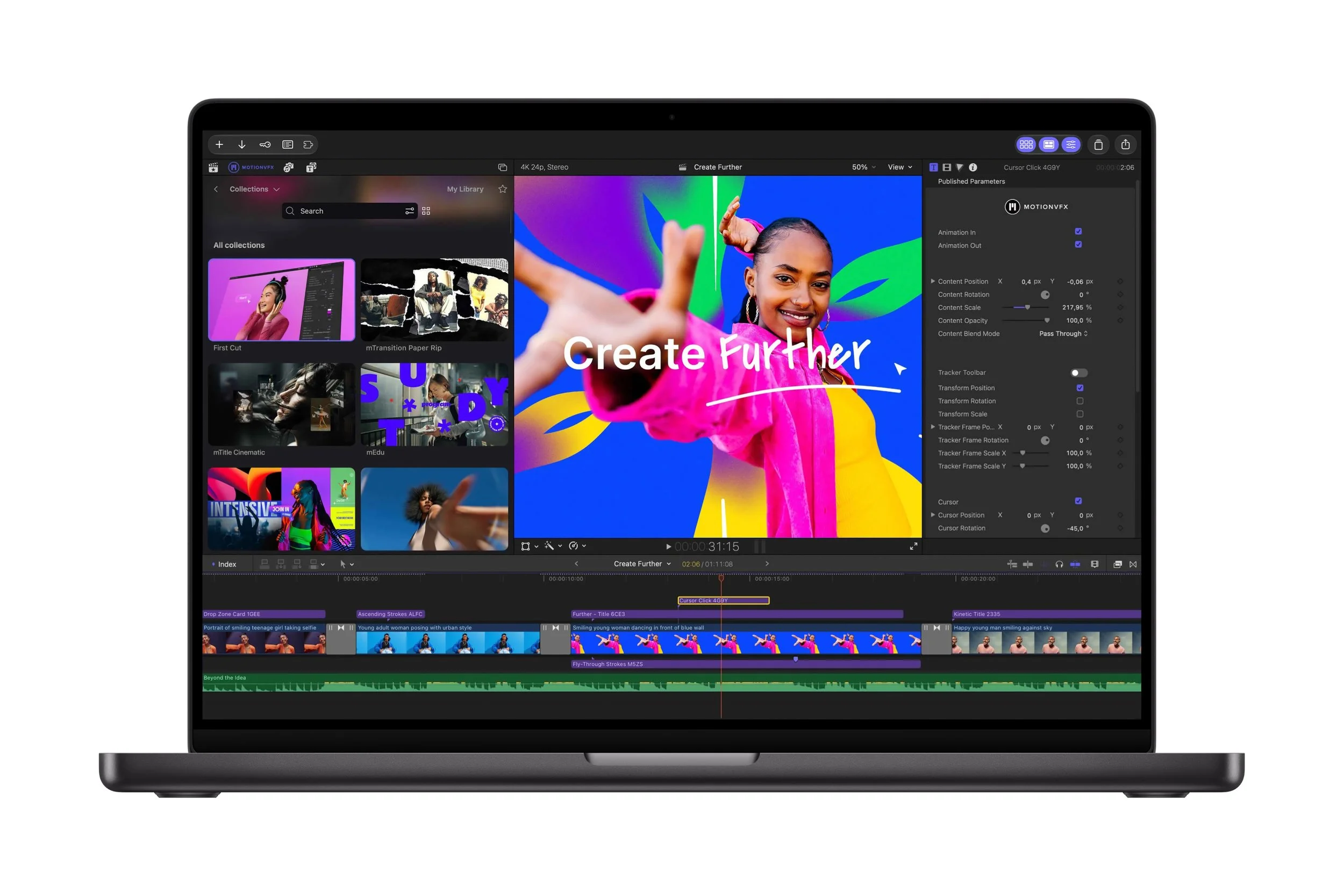
Final Cut Pro now integrates MotionVFX content directly into the app, giving editors access to thousands of creative elements, including templates, graphics, titles, transitions and motion graphics tools.
Professional-looking effects with less effort
Creating polished videos can take considerable time, particularly when adding animated titles, visual effects and transitions. The integration of MotionVFX gives creators more options without requiring them to build every element from scratch.
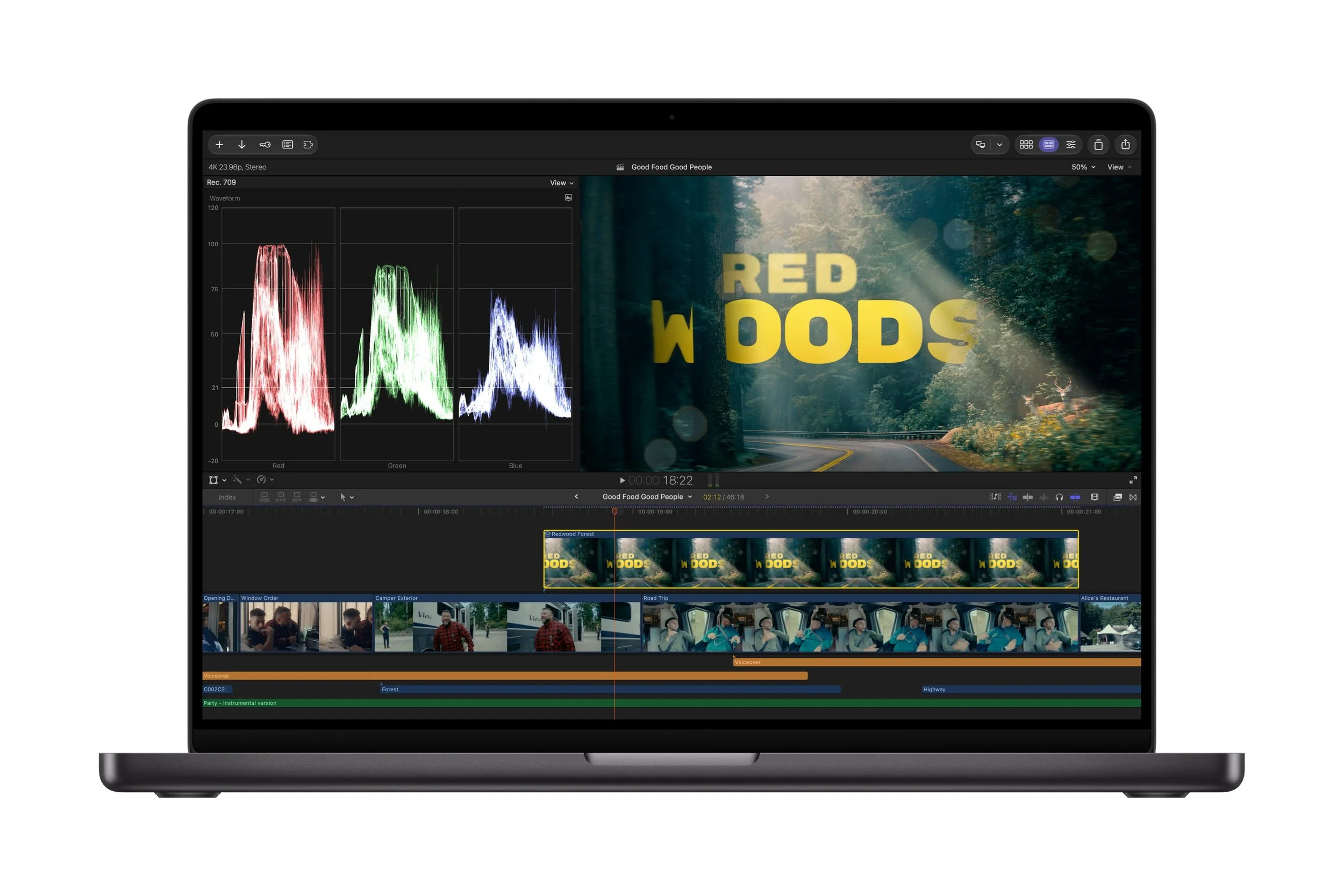
The new tools include support for rotoscoping, tracking and colour grading, helping creators produce more sophisticated visual effects and refine the overall appearance of their footage.
For YouTubers, aspiring filmmakers and people creating videos for social media, this could make it easier to achieve a more professional look without needing extensive visual effects experience.
A Content Hub built into Final Cut Pro
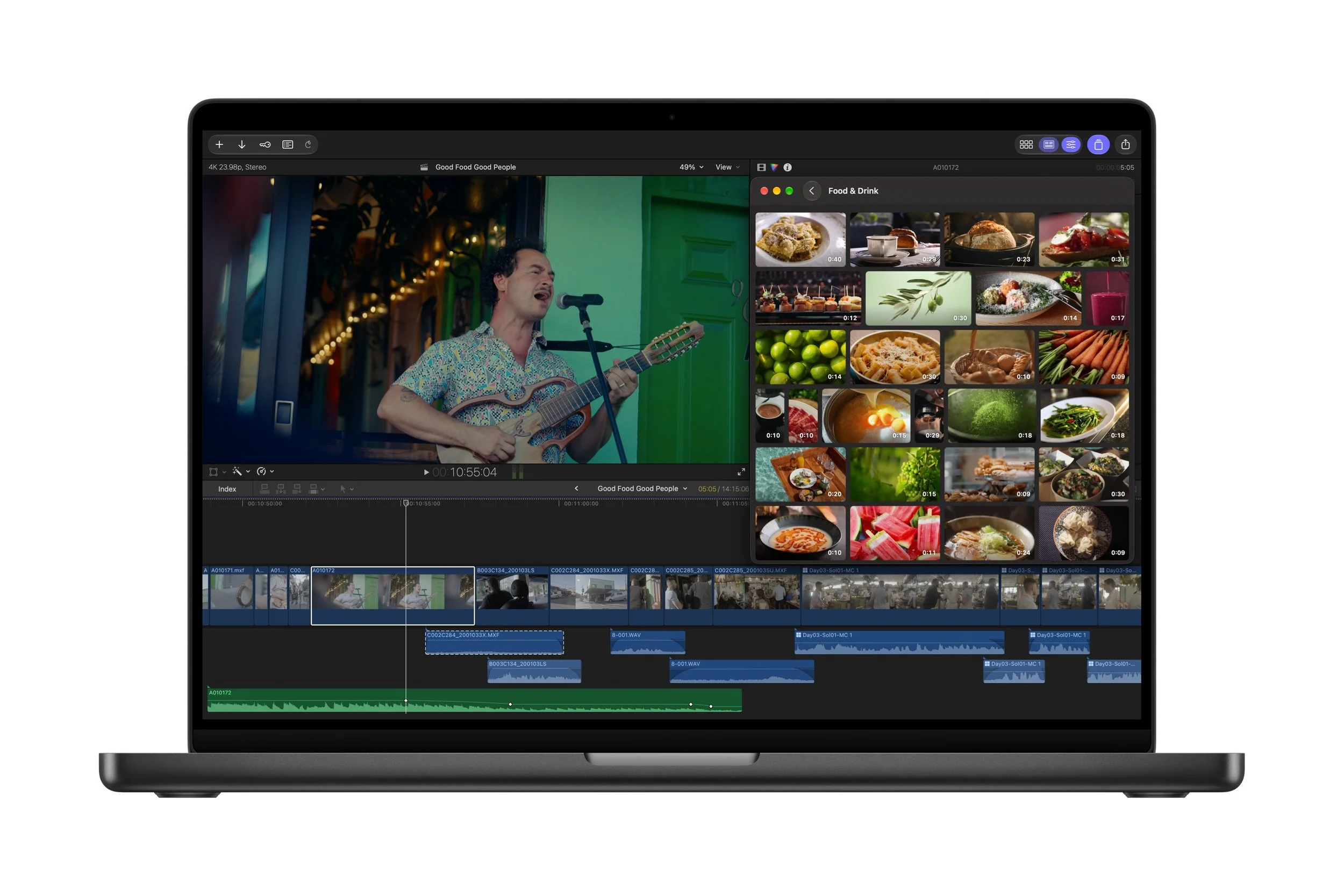
Apple is also expanding its curated Content Hub to include stock video footage alongside photos and backgrounds.
The Content Hub is available directly within Final Cut Pro, allowing editors to find additional visual assets without leaving their editing workflow.
This can be useful when a project needs extra footage, a background or a visual element to make a scene more engaging. Having these resources available within the app should help reduce interruptions and make the editing process more efficient.
Improved editing controls and transcription
Final Cut Pro is also receiving several workflow improvements designed to give editors greater flexibility.
These include:
More keyframe easing options: Provides finer control over how animations accelerate and slow down, helping create smoother movement.
Greater timeline flexibility: Clips can now be disconnected from the primary storyline and positioned elsewhere on the timeline.
23 new transcription languages: Makes it easier to transcribe, caption and search footage in a wider range of languages.
Improved image editing workflows: Editors can send images from their video timeline directly to Pixelmator Pro and have changes saved back into the project automatically.
These features should benefit everyone from casual video creators to people producing more complex projects. Better timeline control and easier captioning can save time, while the ability to edit images without repeatedly importing and exporting files makes the overall workflow more convenient.
Final Cut Pro and Pixelmator Pro Work More Closely Together
Apple is also improving the connection between Final Cut Pro and Pixelmator Pro, its image editing application.
Users can open an image directly from the Final Cut Pro timeline in Pixelmator Pro, make adjustments and save the changes back to the original project without manually reimporting the image.
This is particularly useful when a video requires custom graphics, image enhancements or visual elements that need more detailed editing than Final Cut Pro alone provides.
The update also brings advanced image generation into the video creation workflow, allowing users to create images from text descriptions and apply quick edits or different visual styles.
For creators who produce thumbnails, title graphics, promotional content or visual elements for their videos, this integration could make it easier to keep everything organised within one connected workflow.
Motion and Compressor Receive Useful Updates
Apple's other professional video tools are receiving improvements as part of the wider update.
Motion adds more visual effects tools
Motion, Apple's motion graphics application, gains built-in MotionVFX plug-ins for cinematic colour grading, 3D camera tracking and one-click selection for visual effects.
Users can also generate and edit images from text descriptions, send images to Pixelmator Pro for further editing, fine-tune keyframe easing and use a new Displacement filter.
These additions give creators more options for producing animated graphics, enhancing footage and creating visual effects.
Compressor adds support for Cinematic mode video
Compressor, Apple's media encoding application, now supports encoding Cinematic mode video recorded on iPhone 18 Pro and iPhone Duo.
This is useful for people who record video on their iPhone and want to prepare their footage for different production or distribution workflows.
Together, these updates strengthen Apple's creative ecosystem by making its video, graphics and media-processing tools work more effectively alongside one another.
Pixelmator Pro Introduces Generate Fill AI Image Editing
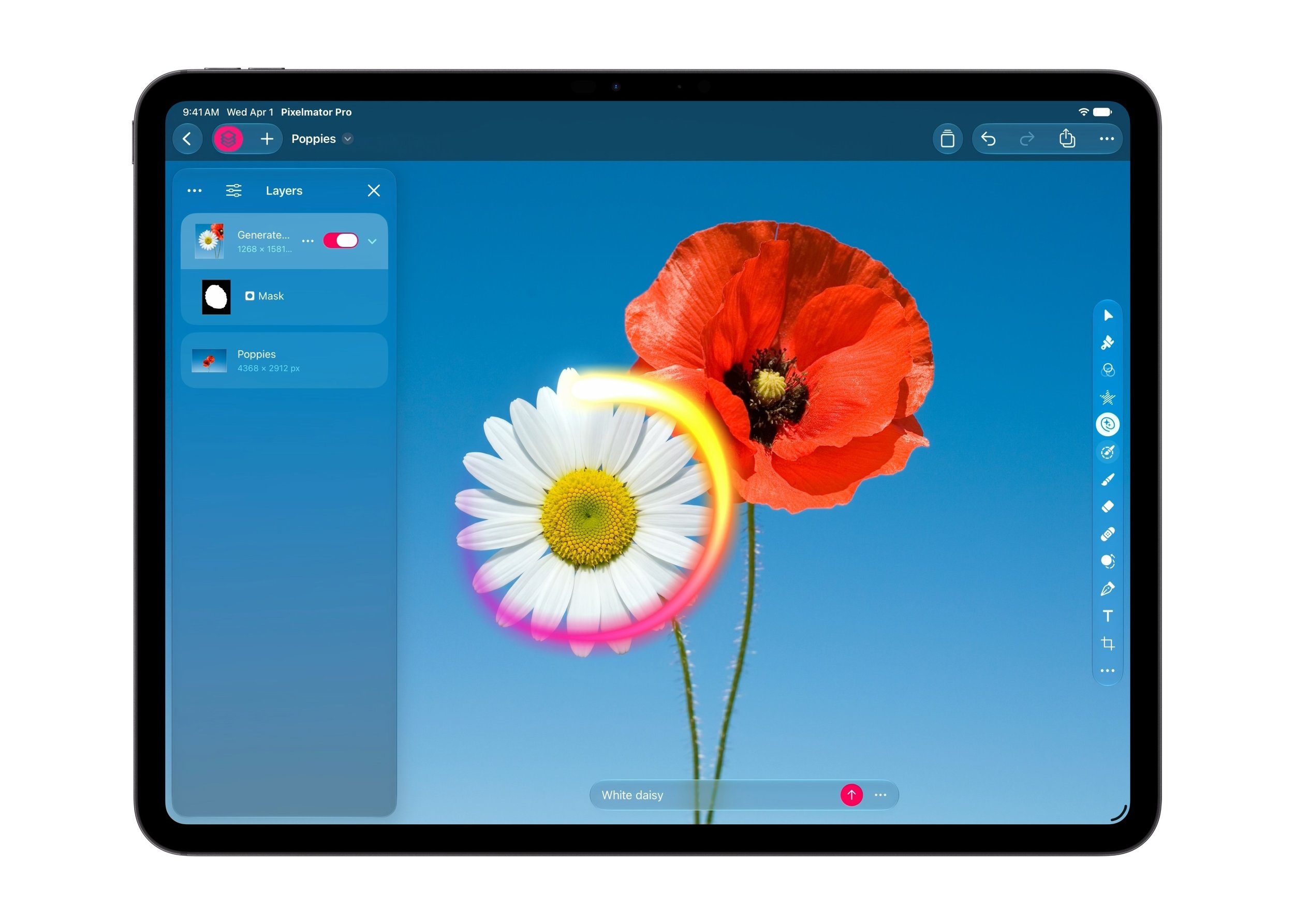
Image editing is another major focus of the Apple Creator Studio update, with Pixelmator Pro gaining a new feature called Generate Fill.
The tool allows users to select an area of an image and describe the change they want to make using natural language.
For example, someone could select an unwanted object in a photograph and describe a replacement or a different visual element they would like to introduce. The tool then generates content intended to blend with the surrounding image.
How Generate Fill works
Users can circle an area they want to change or use Pixelmator Pro's existing selection tools, including Free Selection, Quick Selection and Magnetic Selection, for more precise editing.
Generate Fill then attempts to match the lighting, perspective and texture of the surrounding environment so the new content looks more natural.
Apple is also incorporating Super Resolution to upscale generated content and help it remain sharp at different sizes.
Generated elements can be placed on existing layers or added as new layers, with intelligent masking allowing users to refine their edits afterwards.
Why this matters for everyday users
Traditional photo editing can involve multiple steps and a reasonable amount of technical knowledge. AI-assisted tools like Generate Fill aim to make complex edits more approachable.
For everyday photographers, content creators and small business owners, this could help with tasks such as enhancing promotional images, creating visual assets or experimenting with different creative ideas.
The ability to keep generated elements on separate layers also provides additional flexibility for people who want to fine-tune the results rather than simply accept an automatically generated edit.
Logic Pro Gets an AI Assistant and Smarter Music Creation Tools
Music creators also have plenty to look forward to, with Logic Pro for Mac and iPad receiving a range of improvements for songwriting, beat-making, remixing and music production.
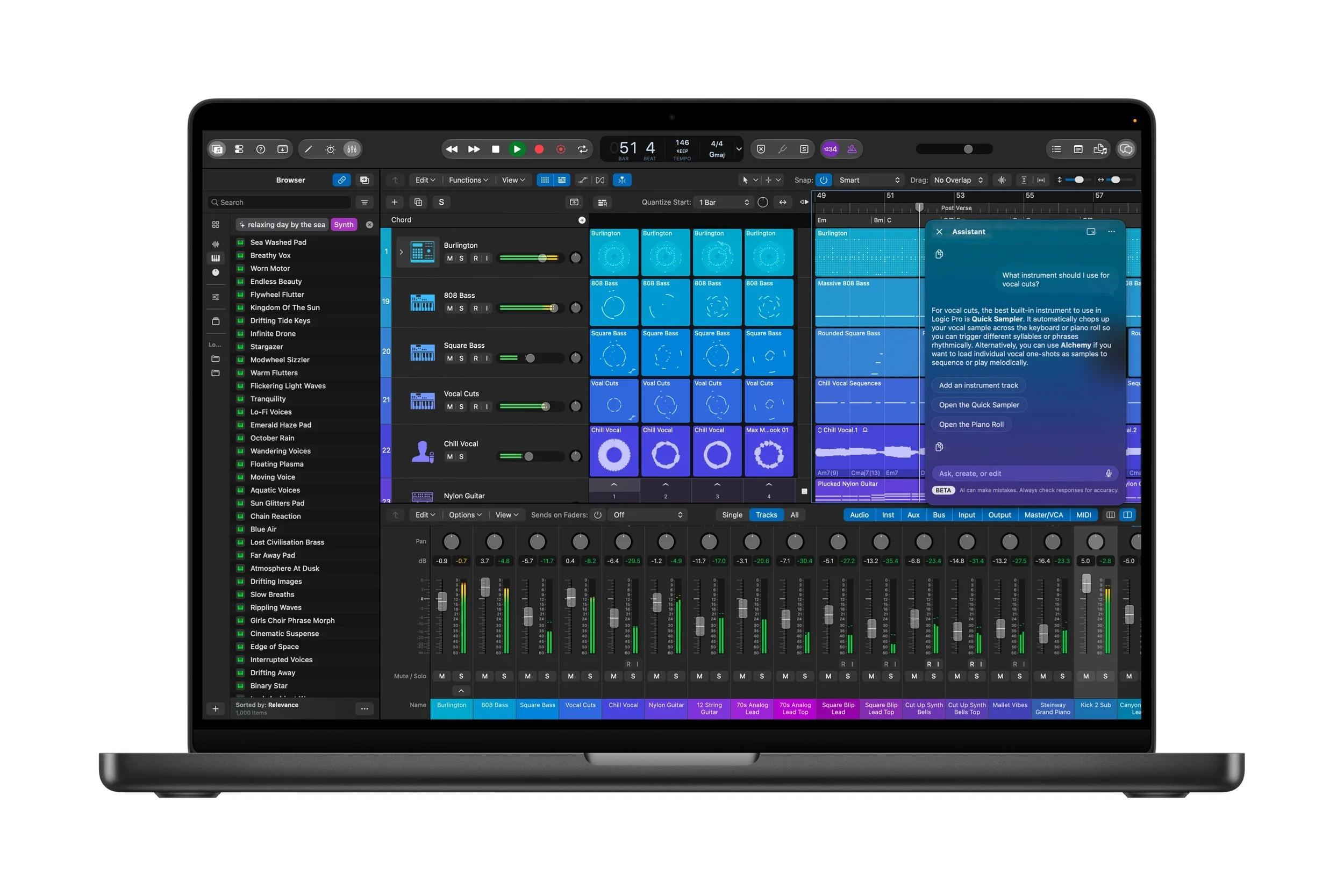
One of the most significant additions is a new intelligent assistant in beta for Logic Pro on Mac.
An AI assistant for music production
The assistant is designed to help creators navigate music production workflows, start a new song, set up a vocal track from a single prompt or refine an existing project.
For someone learning music production, getting help with setup and workflow decisions could make a complicated application feel more approachable.
More experienced producers may also benefit from assistance when starting a project or working through different production tasks.
Apple says the assistant uses a combination of Apple-built and third-party models. However, the beta has specific requirements, including an Apple Intelligence-capable Mac running macOS 27 Golden Gate or later, and it is available in US English only.
A redesigned Browser makes finding sounds easier
Logic Pro for Mac also gets a redesigned Browser that brings loops, instruments, effect patches and other sounds together in one place.
The updated experience incorporates music understanding, an on-device audio analysis tool that automatically analyses, classifies and tags added sounds.
This allows creators to search their sound collections more easily. They can also drag a loop into the Browser to surface matching audio, helping them discover sounds that work well together.
For home musicians and aspiring producers, this could make it easier to find the right sound without manually listening to large collections of audio files.
Stem Splitter can now isolate drums
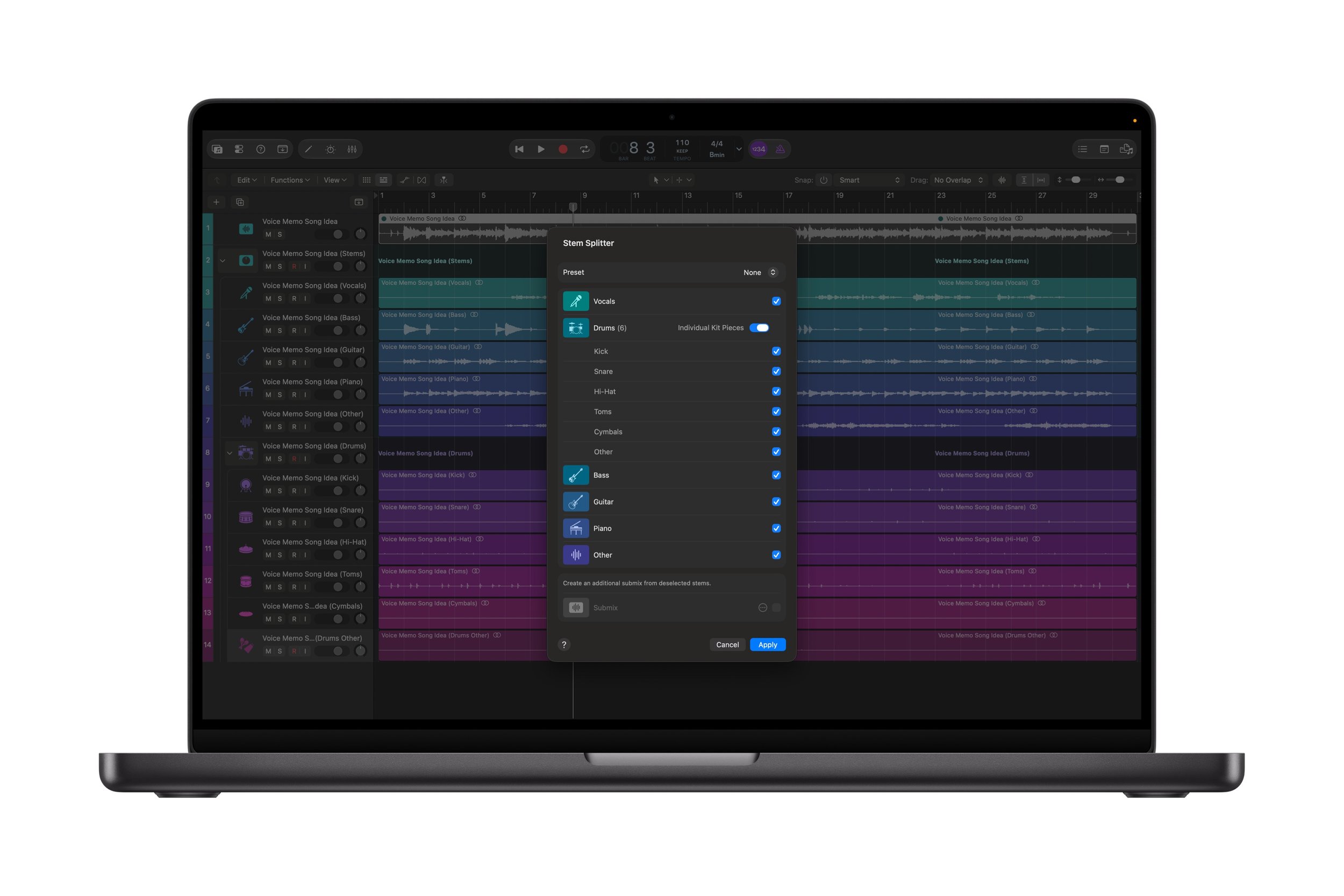
Logic Pro's Stem Splitter is receiving another important improvement: it can now separate drum parts.
Users can isolate, replace or rebalance drums without needing access to the original multitrack recording.
This is particularly useful for remixing, practising with songs, adjusting the balance of a track or experimenting with different arrangements.
The ability to manipulate individual elements of a recording can provide more creative freedom without requiring the user to recreate the entire song from scratch.
New Sergio George Producer Pack
Apple is also introducing a new Producer Pack from Sergio George, the 20-time Grammy winner known for his work in Latin music, particularly salsa.
The pack includes his signature piano sound and a collection of Latin jazz and salsa loops, featuring percussion, brass and bass sounds.
For musicians looking to experiment with Latin-inspired arrangements or incorporate new sounds into their productions, the additional content offers another starting point for creative projects.
Improve iPhone voice recordings with Voice Memo Studio Sound
The update also introduces Voice Memo Studio Sound, which can reduce room ambience and background noise in recordings captured on supported iPhone models.
Users can continue fine-tuning their recordings in Logic Pro.
This could be helpful for people recording ideas, voiceovers, interviews or other audio in less-than-perfect environments. Reducing distracting background noise can make recordings easier to work with, although the results will depend on the original recording and supported device.
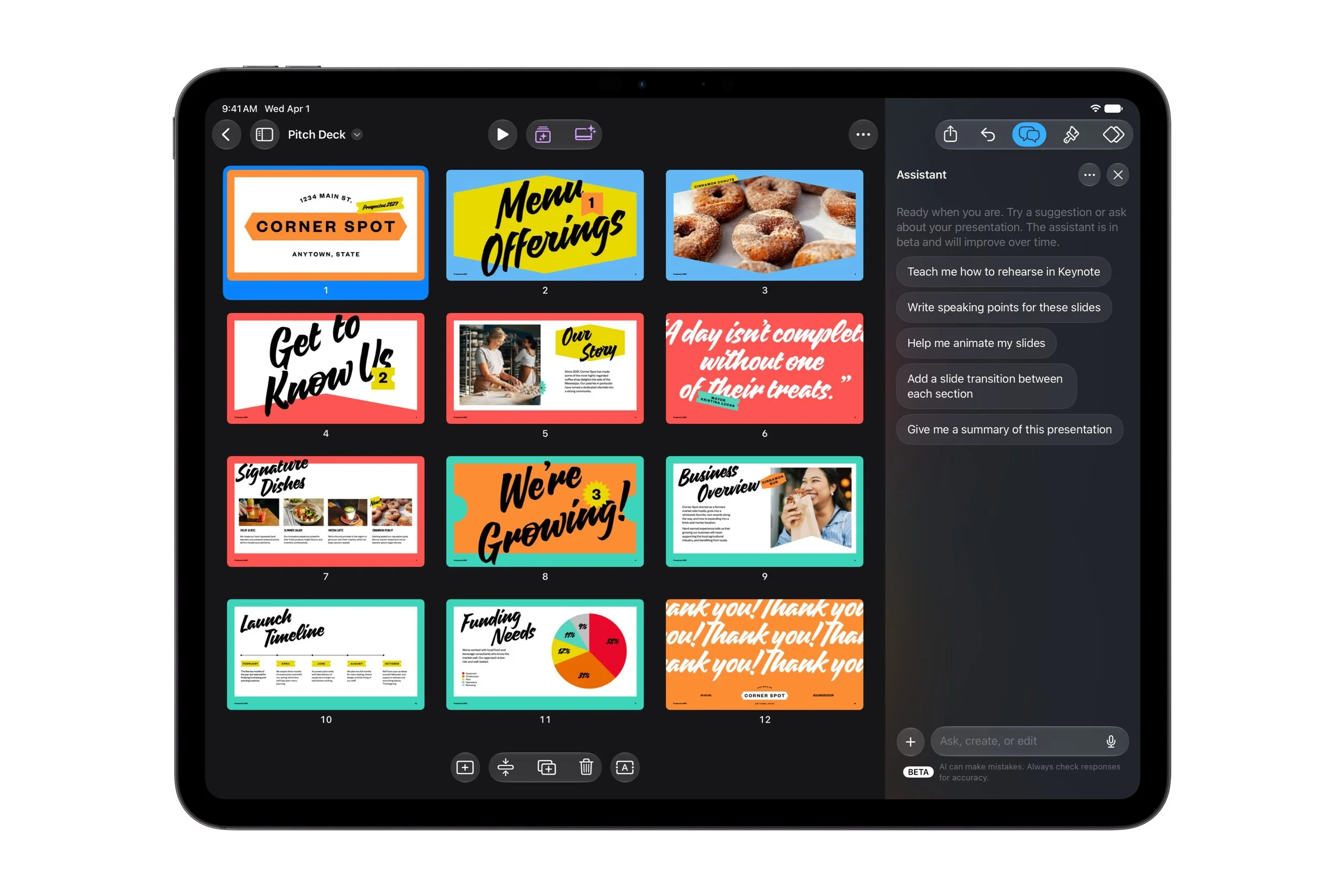
Keynote, Pages and Numbers Gain New AI Productivity Features
Apple is extending its AI capabilities beyond traditional creative applications and into its productivity suite.
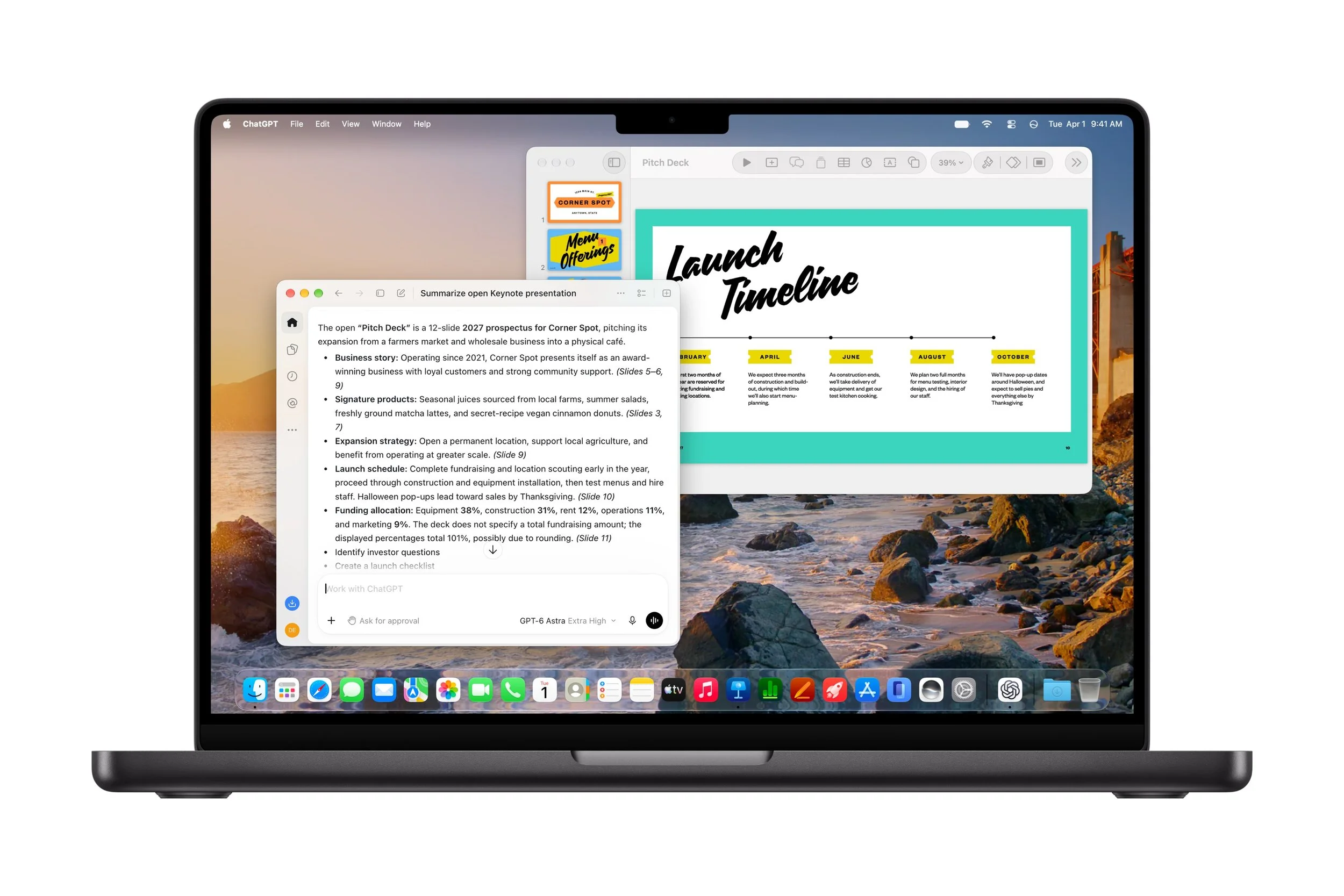
Keynote, Pages and Numbers are receiving new intelligent assistants in beta, designed to understand the context of a document and help users complete tasks without leaving the app.
For everyday consumers, students and professionals, these features could make routine work more efficient.
Keynote: Create and refine presentations
Keynote's new intelligent assistant can help users design, animate and refine slides.
This could be useful when preparing a school assignment, business presentation or slideshow for a personal project.
Instead of handling every design adjustment manually, users can get assistance with improving the presentation and refining its overall appearance.
Pages: Get help writing and editing documents
Pages gains an assistant that can draft, restructure and fine-tune written content.
For someone writing a report, preparing a document or organising their thoughts, this could help create a first draft or improve the structure and clarity of existing text.
It may also help users work through revisions more efficiently, although the final content should still be checked for accuracy and suitability.
Numbers: Make spreadsheets easier to understand
Numbers is also getting new intelligence features designed to help users calculate, visualise and organise data.
The assistant can recommend suitable chart types with a one-tap preview and build custom tables using world knowledge.
For people who are not spreadsheet experts, this could make it easier to turn raw information into something more understandable.
Whether you're tracking household expenses, organising project information or reviewing data for work, help with tables and visualisations could make Numbers more approachable.
New support for automated workflows
Apple is also introducing Model Context Protocol (MCP) support in Keynote, Pages and Numbers.
This allows compatible external AI agents and tools to read content, make edits and carry out automated actions within these apps.
For everyday users, the practical benefit could be less repetitive work and more connected workflows. For example, compatible tools could help automate certain document or presentation tasks.
However, this capability requires macOS 27 or later, and its usefulness will depend on the external tools and workflows being used.
The new intelligent assistants in Keynote, Pages and Numbers require an Apple Intelligence-capable device running iOS 27, iPadOS 27 or macOS 27 or later, and are available in US English only during the beta.
More Stock Video, Themes and Templates
Apple is expanding its Content Hub across Keynote, Pages and Numbers, adding curated stock video footage alongside new premium themes and templates.
These resources give users more options for improving the visual appeal of their work without having to create every element themselves.
In Keynote, stock footage could help make presentations more engaging. In Pages, additional design options can help documents look more polished, while Numbers users gain further ways to present information.
Apple is also introducing support for Keynote Interchange Format, or .keyx. This open, JSON-based bundle format is designed to be readable and accessible to external tools, developer workflows and AI agents.
Although the technical details may be more relevant to developers and advanced users, the move could help support more flexible integrations between Keynote and compatible external tools.
Freeform Gets New Formatting and Image Creation Features
Freeform, Apple's collaborative digital whiteboard app, is also receiving improvements.
The update introduces text styles that can be applied and reused in a single step, as well as custom and preset board background colours.
These changes should make it easier to organise information and create boards with a consistent visual style.
Apple also plans to introduce additional features in December 2026, including the ability to edit images directly in Pixelmator Pro and generate editable shapes from text descriptions.
For people who use Freeform to brainstorm ideas, plan projects or collaborate visually, these additions could make the app more flexible and creative.
Apple Creator Studio Pricing in Australia
Apple has confirmed Australian pricing for Apple Creator Studio, with the new features arriving as a free update for existing subscribers in November 2026.
The subscription pricing is as follows:
Plan Australian price
Monthly subscription A$19.99 per month
Annual subscription A$199 per year
Education plan A$4.99 per month
Education annual plan A$49 per year
Prices include GST. The education plan is available to eligible university students and educators, with verification required.
New subscribers receive a one-month free trial. Customers who purchase a new Mac or qualifying iPad from Apple or an Apple Authorised Reseller may also be eligible for three months of Apple Creator Studio at no additional cost, subject to Apple's terms and conditions.
Apple Creator Studio is available as a universal purchase through the App Store, and up to six family members can share the included apps and content through Family Sharing.
Can you buy Apple's creative apps outright?
Yes. Apple continues to offer one-time-purchase versions of several professional applications on the Mac App Store.
App Australian one-time price
Final Cut Pro A$499.99
Logic Pro A$299.99
Pixelmator Pro A$79.99
Motion A$79.99
Compressor A$79.99
MainStage A$49.99
These prices include GST.
The free versions of Keynote, Pages, Numbers and Freeform also remain available and are included with every new iPhone, Mac and iPad.
For consumers, this means the subscription is not the only option to consider. If you primarily use one professional application, comparing the one-time purchase price with the subscription cost may help you decide which approach makes the most sense for your needs.
Which Devices Support the New Apple Creator Studio Features?
Compatibility depends on the individual app and feature, so not every new capability will work on every Apple device.
According to Apple's announcement:
Final Cut Pro for Mac: Requires macOS 26.6 or later and a Mac with Intel or Apple silicon, although some features require Apple silicon.
Final Cut Pro for iPad: Requires iPadOS 26.6 or later and an iPad with an A16, A17 Pro or M1 chip or later.
Logic Pro for Mac: Requires macOS 26.1 or later and a Mac with Apple silicon.
Logic Pro for iPad: Requires iPadOS 26 or later and an iPad with an A12 Bionic chip or later.
Pixelmator Pro: Requires macOS 26 or later on Mac, or iPadOS 26 or later on a supported iPad. Some features require Apple silicon or newer iPad hardware.
Keynote, Pages, Numbers and Freeform: Require macOS 26, iOS 26 or iPadOS 26 or later.
Logic Pro's beta assistant: Requires macOS 27 Golden Gate or later and an Apple Intelligence-capable Mac.
The productivity app beta assistants: Require an Apple Intelligence-capable device running iOS 27, iPadOS 27 or macOS 27 or later.
The new MCP support in Keynote, Pages and Numbers requires macOS 27 or later.
Before subscribing or upgrading, it's worth checking the requirements for the specific features you intend to use.

What Does This Update Mean for Everyday Consumers?
The latest Apple Creator Studio update is about more than adding new tools for professional filmmakers and music producers. Many of the improvements are designed to reduce the time and effort involved in common creative tasks.
For video creators, built-in MotionVFX content, stock footage and improved editing controls can help make videos more polished. The tighter connection between Final Cut Pro and Pixelmator Pro should also make it easier to create and refine custom graphics.
For photographers and image editors, Generate Fill offers a more accessible way to transform selected areas of an image using a written description.
For musicians, Logic Pro's redesigned Browser, expanded Stem Splitter and new intelligent assistant could help simplify music production and make experimentation easier.
Meanwhile, the AI assistants coming to Keynote, Pages and Numbers could help everyday users produce presentations, improve documents and work with spreadsheet data more efficiently.
The main consideration is that some of the most advanced AI features are arriving in beta and have specific hardware, software and language requirements. Consumers should check compatibility before expecting every feature to work on their current device.
Final Thoughts - The RANT Verdict: Apple Creator Studio Becomes an Even More Capable Creative Suite
Apple's October 2026 update makes Apple Creator Studio a more capable collection of creative and productivity applications.
The addition of MotionVFX content to Final Cut Pro, Generate Fill in Pixelmator Pro, expanded music production tools in Logic Pro and intelligent assistants in Keynote, Pages and Numbers gives subscribers more ways to create and work efficiently.
For everyday consumers, the biggest attraction is the potential to achieve more without needing to master every technical detail of video editing, image manipulation, music production or document design.
The update also strengthens the connections between Apple's apps, making it easier to move between editing images, producing videos and preparing supporting content.
Existing subscribers can look forward to receiving the update for free in November 2026, while prospective subscribers can weigh up the monthly and annual plans against the available one-time-purchase alternatives.
Ultimately, whether you're a budding YouTuber, a home musician, a student or simply someone who wants to get more out of their Apple devices, the latest Apple Creator Studio update offers a compelling collection of new tools worth exploring.
As always, the real value will depend on which applications you use, whether your device supports the new features and how much you stand to benefit from the added AI assistance.